Notifications
Clear all

Topic starter
January 5, 2026 11:10 pm
I just installed a 6000xp and an eg4 14kwh indoor battery.
Everything worked as it should for 5 minutes. Then the ac output shut off for about 30 seconds, then turned on for 5 seconds it kept doing that for a few minutes then shut off the ac output entirely.
I can get it to work if I switch the settings to lead acid battery instead of lithium.
I tried the every lithium setting from 0 to 6.
A couple things that may be important: it is off grid, I dont have wifi avalable there(I do get cell service and could use my phone as a Hotspot if necessary), right now the building is unheated(the batteries were at 4c when I was trying to get ot to work.

January 6, 2026 5:38 pm
Check for errors thrown by 6000xp.
Check for error logs on battery display
Does the inverter 'see' the battery when in lithium mode? if not check the comms cables.
Perform cold restart of entire setup while battery is in Lead acid mode.
Switch everything off (including battery BMS and all breakers and EPS) for few minutes and power Up the system starting from battery and its BMS then the inverter and BMS. After Inverter is back online try switching to Lithium Battery type 1.
Ultimately you might have to update firmware of the inverter and the battery.
See my other posts regarding wall mount battery communication issues.
Hope that helps
Brgds
K


January 6, 2026 7:22 pm
@joey Can you share some pictures of how everything is connected?
Are you getting any warning or errors?
For the inverter to communicate properly with the WallMount battery make sure the Lithium Brand is set to 1 and the battery's firmware is set to EG4/LUX.
Topic starter
January 8, 2026 10:07 pm
There is a sad face that says "warning"when it is set to lithium. I dont know how to check for errors.
I dont think the inverter sees the battery. There are no arrows showing power flow and it says 0% charge.
I tried the cold restart in lead acid mode then switching to lithium once restarted. It did not work.
Can I safely run it in lead acid mode so I have power until I get it figured out?
Topic starter
January 8, 2026 10:39 pm
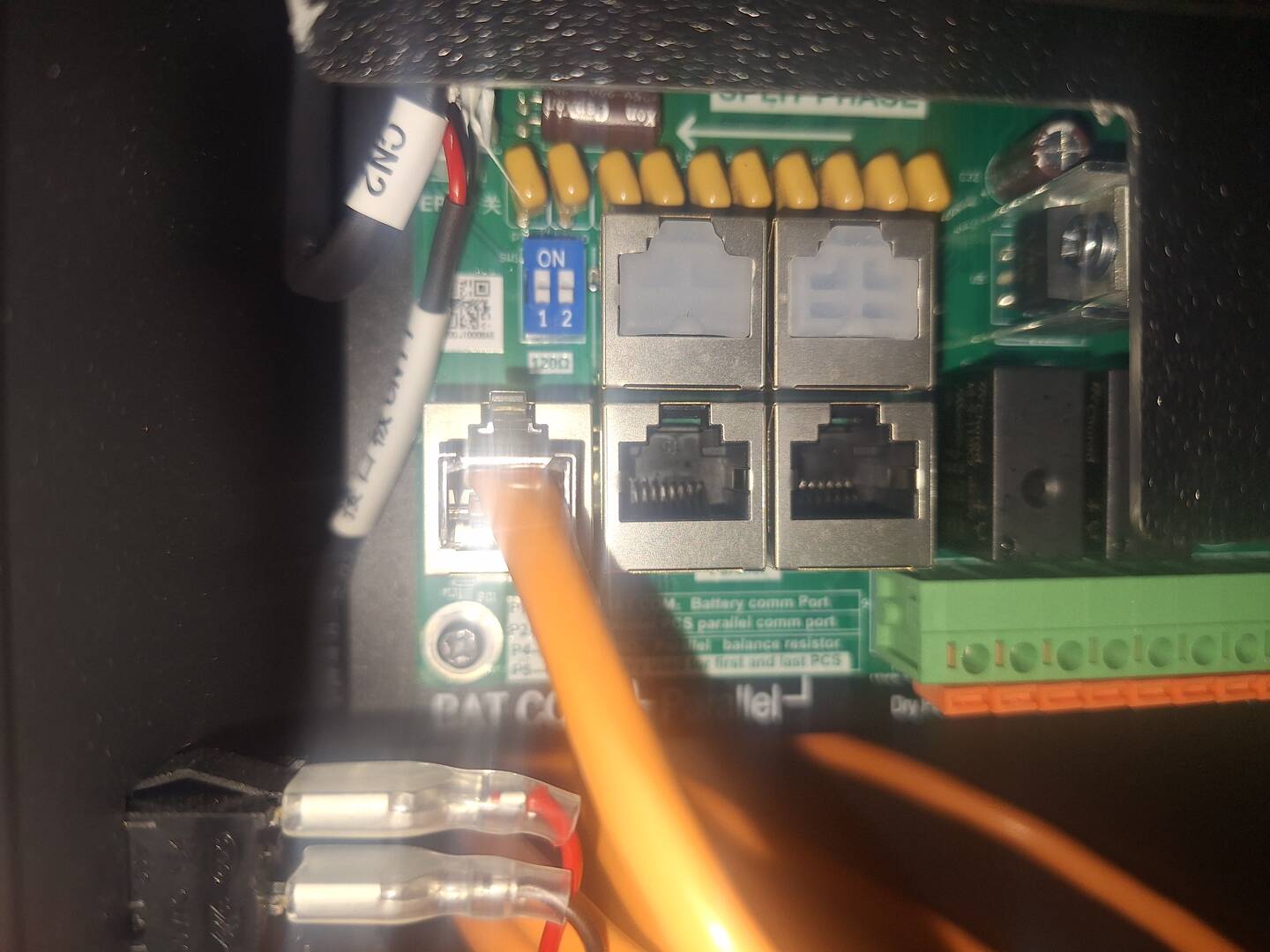
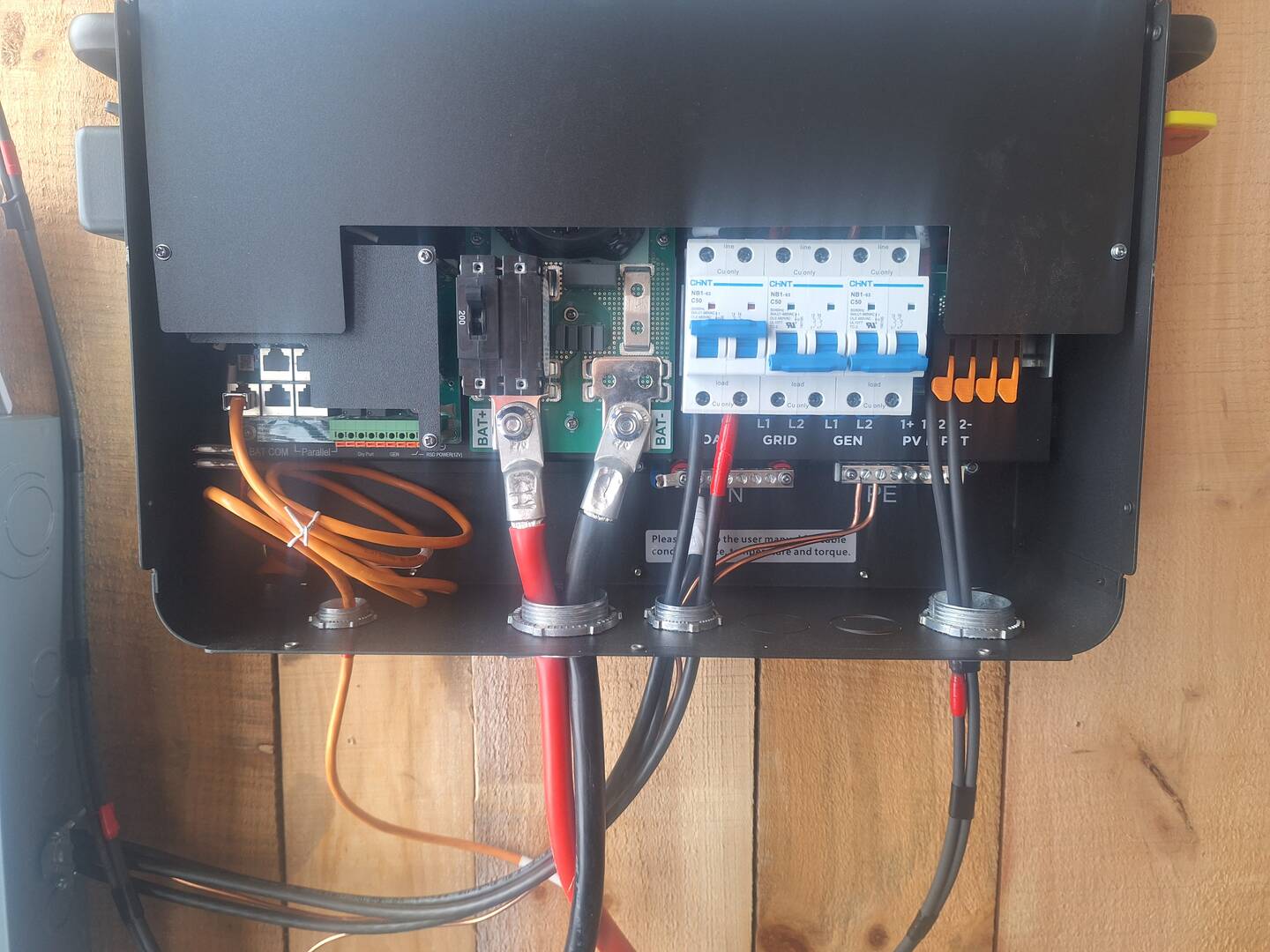

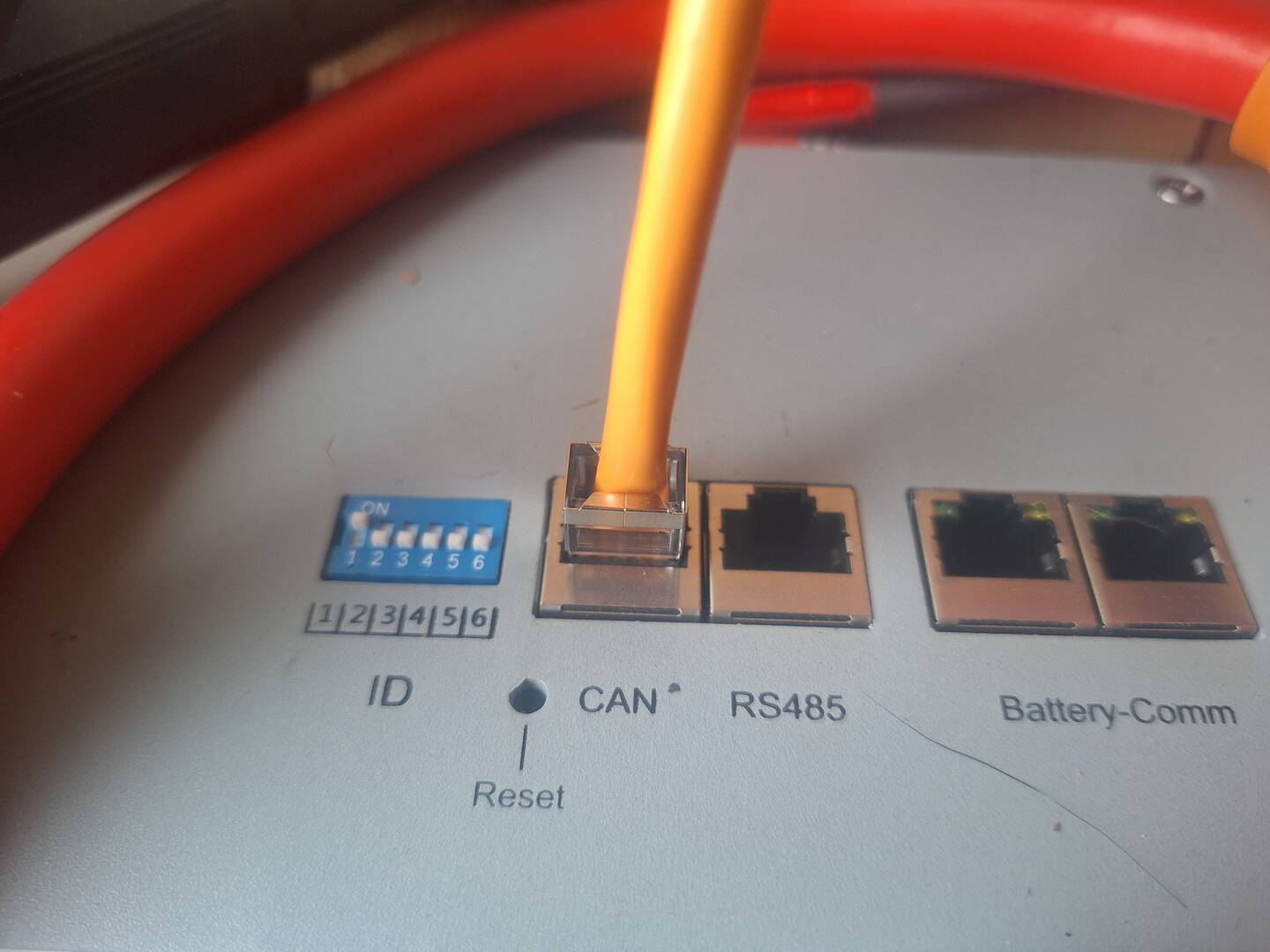

Topic starter
January 8, 2026 10:45 pm
I put up some photos that show how ot is wired.
I think the orange communication cable is plugged in right. Idont know if the dip switches on the inverter are in the correct position.
How do you find errors? The sad face with warning below it shows up when set to lithium.
The battery is set to EG4 removed link I tried the inverter in 1.
January 9, 2026 2:47 pm
I have been running my setup ( just like yours with grid and gen connected) in Lead acid mode for more than 6 months without issues (untill my battery BMS comms issue were resolved - see my other posts). Just make sure the settings are set correct for voltages. - see my
I manage the setup via web based EG4 monitoring site where you can see all errors and warnings, but I believe all is ' diggable out" from 6000xp display menus.
I have attached my Lead Acid voltage settings for your reference:
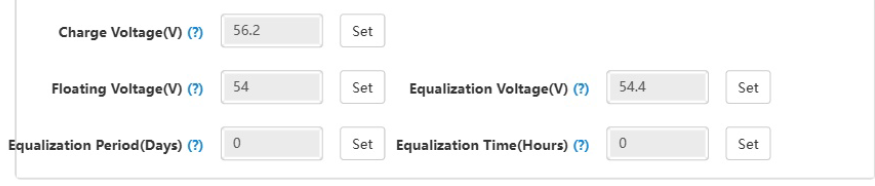
Hope that helps
Brgds
K
January 9, 2026 2:51 pm
it may sound weird, but try multiple cold restarts with longer power down periods (of BMS) - in my case post BMS firmware update the system started working only after third attempt - see my other posts.
Brgds
K
January 15, 2026 6:38 pm
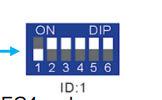
After reviewing the pictures, I did notice that you have the DIP switches backwards. The first one needs to be down and the rest up.
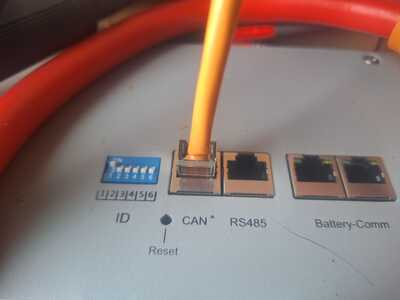
Should be like this,