Notifications
Clear all

Topic starter
February 26, 2026 8:57 pm
EG4 Family,
I have 9 batteries: 5 each 48V EG4 LIFEPOWER4 V1, 3 each V2 (with dip switches), and a replacement V2 (without dip switches).
The new V2 (w/o dip) was a replacement for a V1 that failed. I placed the new V2 as #4 in my stack, so all the V2s come first, then the 5 V1s.
The new battery is charging and discharging, and passing through comm to the following batteries. But here is the problem:
My two 6000XPs do not "see" the new V2 battery (w/o dip switches). The system reads 8 batteries and 800 amps, when it should read 9 batteries and 900 amps. The battery/inverters show no alarms, and the battery is charging and discharging with all the other batteries. I tried turning everything off/on, but no change. Since there are no dip switches, I set all the other battery dip switches and skipped #4 assuming the battery would automatically take that number. But the EG4 Monitor Center does not show a #4 battery.
Does anyone have any idea on how to make the new V2 (no dip switches) battery visible to the system?
Thanks for your help,
Scott


Topic starter
February 28, 2026 10:23 pm
Topic starter
March 1, 2026 10:14 pm
Hey, moving the V2(no dip switches) to the master battery position worked like a charm: 9 batteries/900 amps shown!
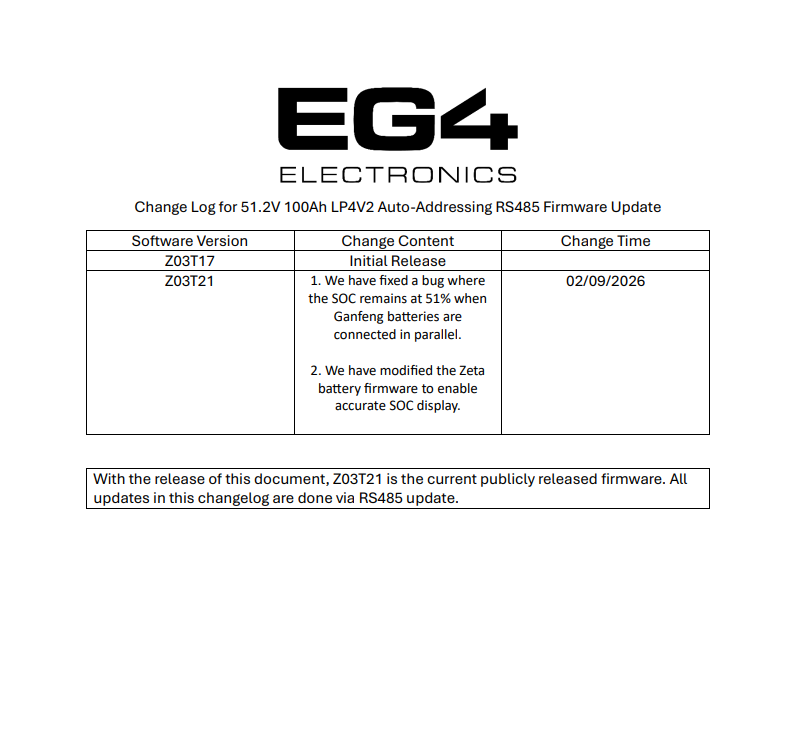
However, in an interesting twist, my 5 V1 batteries are now constantly showing 51% SOC in the Monitor Center. I think I saw this particular issue mentioned in another thread, so I'll do some digging.
Thanks,
Scott
March 9, 2026 9:29 pm
@texasoffgrid
You will need to update the Lifepower4-V2 batteries. Make sure you choose the correct firmware to download.
EG4 LifePower4 48V v2 - EG4 Electronics