
Notifications
Clear all

Topic starter
We are excited to announce that the new EG4 Connect app is now live and available for customers to download. The app provides an improved experience for monitoring and managing your EG4 systems, offering greater convenience and accessibility from anywhere.
This app is currently in beta and is not the final version. It’s a work in progress, and your feedback helps shape the final product.
IOS: EG4 Connect App
Android: EG4 Connect App
Posted : December 29, 2025 10:22 pm

Very nice!
Is the PC version going to change as well?
Posted : December 29, 2025 10:45 pm

App looks good, definitely fixed and cleaned up the scheduling of grid charge based on time and SOC. Great features.
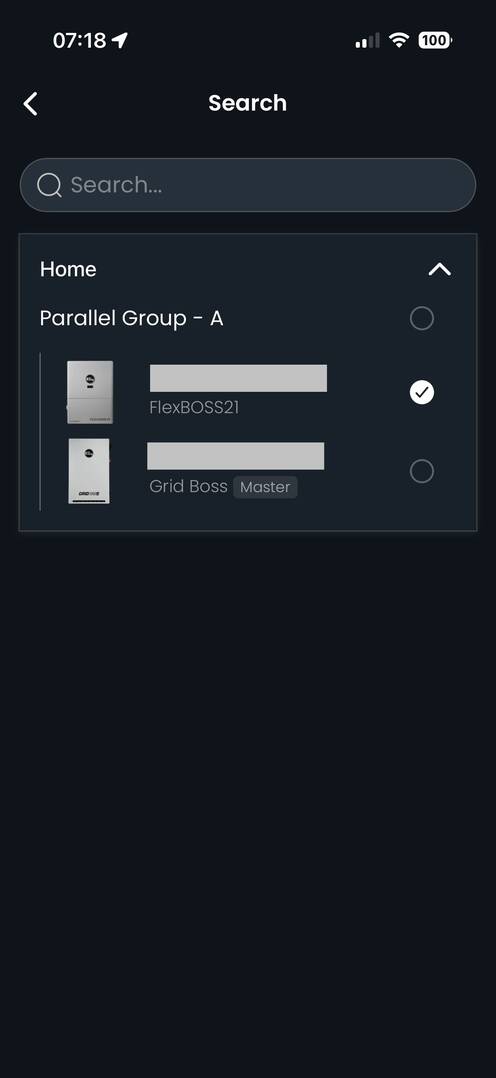
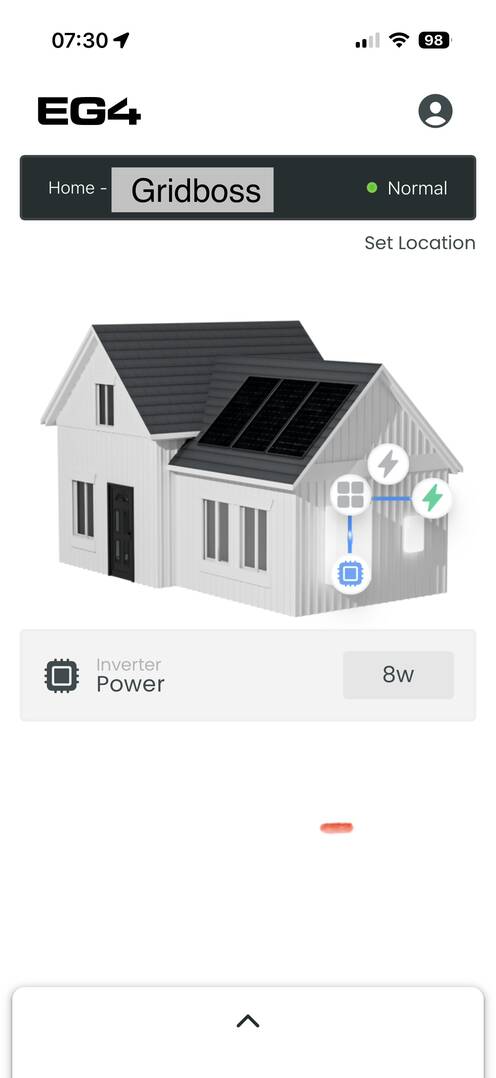
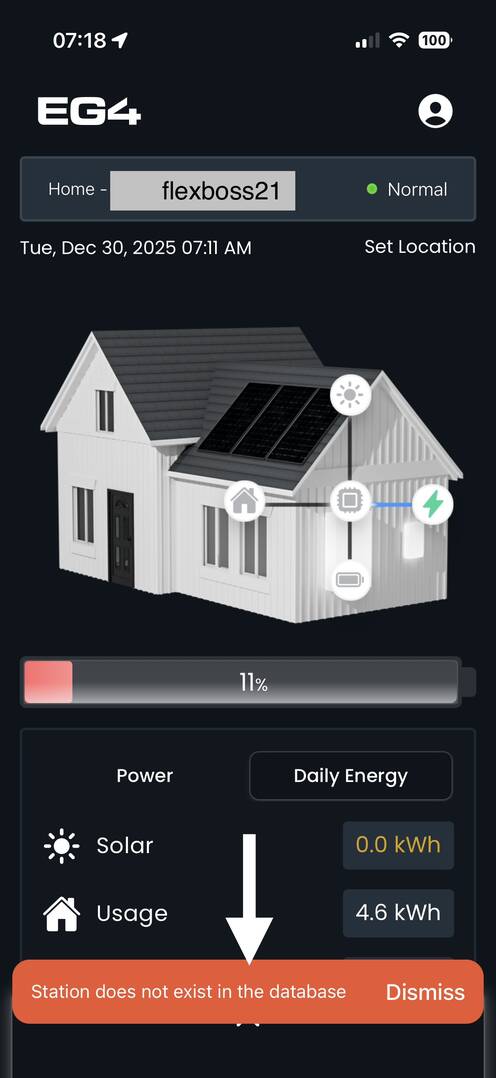
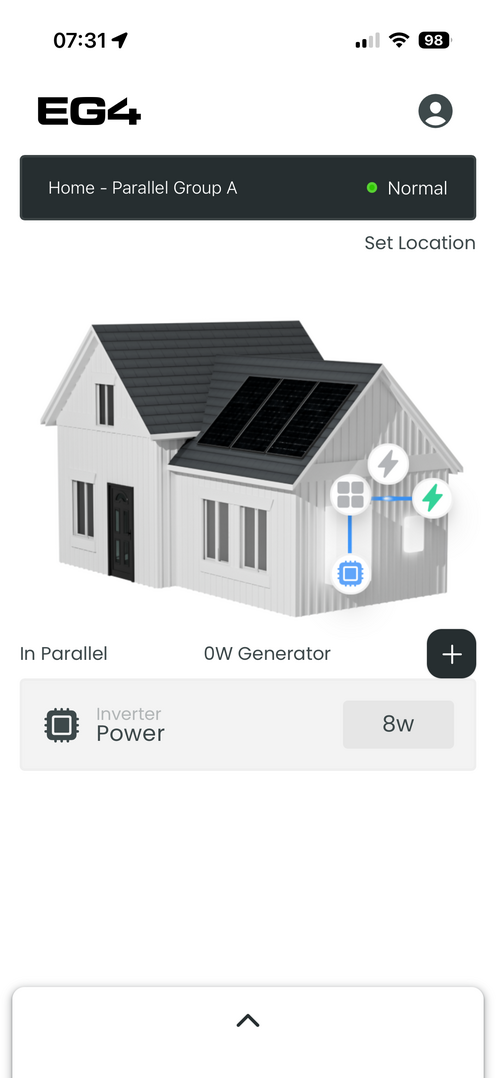
Couple notes, (see photos where applicable)
1. Im getting this error message repeatedly "Station does not exist in the database" with no apparent way to fix.
2. When clicking "set location" at top of app, I get constant loading bar on "city", no way to update "station name" (clocking in the box does nothing) and an error when trying to update zip code. Seems that whole page is broken.
3. When tapping on "database" at the top, I can select "parallel" "gridboss" or "flexboss" however grdboss and parallel provide no readings. I only get energy readings on "flexboss" page. This may be by design but "parallel" section is the only page that shows generator settings. but nothing else. Seems like its just an unfinished section of the app.
Anyway, thanks for the update, app looks promising.
-Daniel
Posted : December 30, 2025 12:36 pm
Topic starter
@dfwtinker
As of now, it's going to stay the same. I haven't heard anything regarding the website but when I do I will definitely let everyone know!
Posted : December 30, 2025 5:07 pm
Topic starter
@b0nn3r
Thank you for that, I will pass this along to our team. I'm sure you're not the only one with the issue, it's most likely a bug.
Posted : December 30, 2025 5:17 pm

No issues encountered with my user type = "SIMPLE" profile 😎. Logged out of the old app and removed it from my device to remove one less door to the castle.
Posted : December 30, 2025 11:45 pm
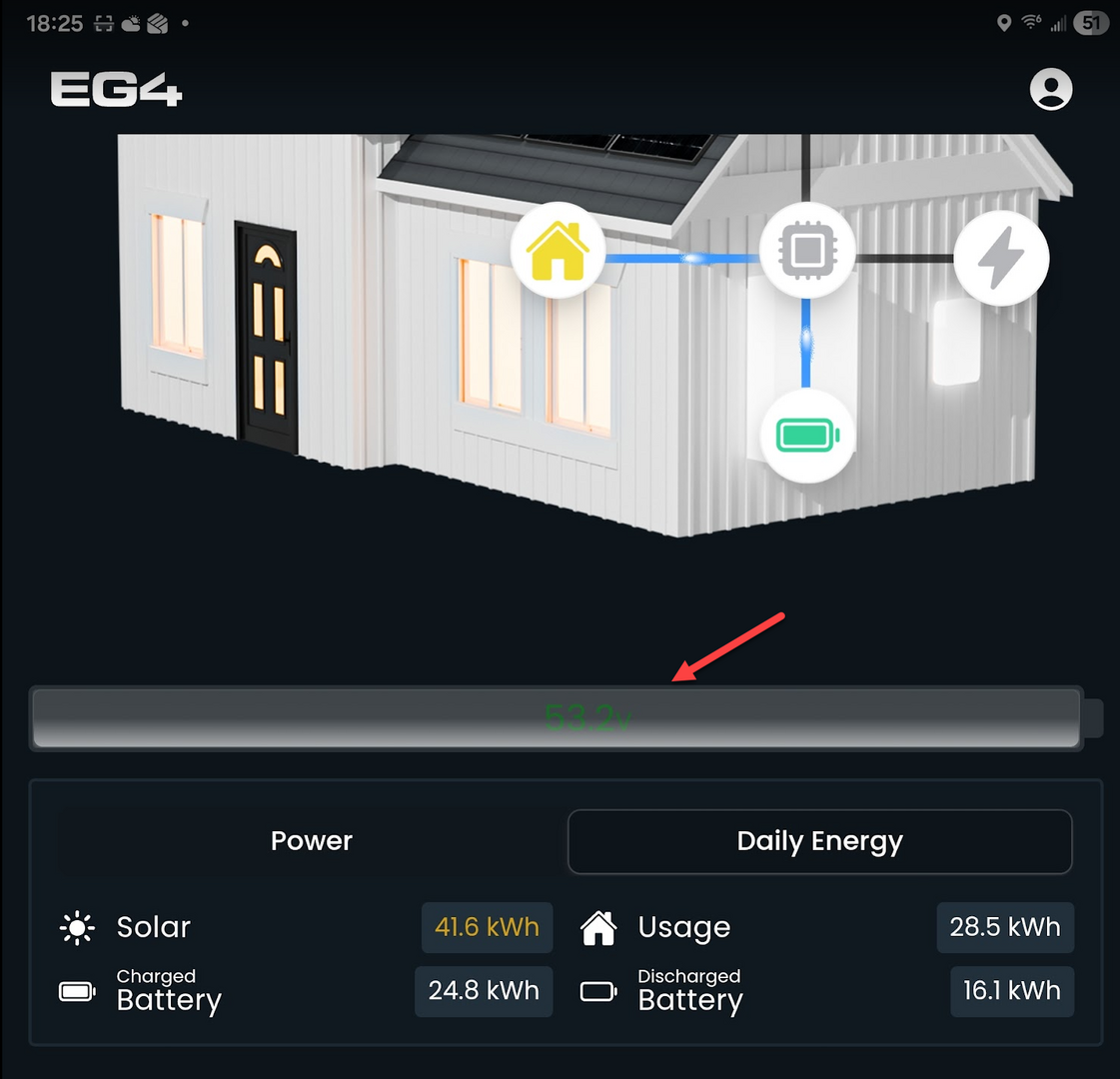
is it possible to change the display of the remaining charge as the SOC instead of the voltage?
Posted : December 31, 2025 2:51 am
TonyInMemphis reacted
Happy New Year!
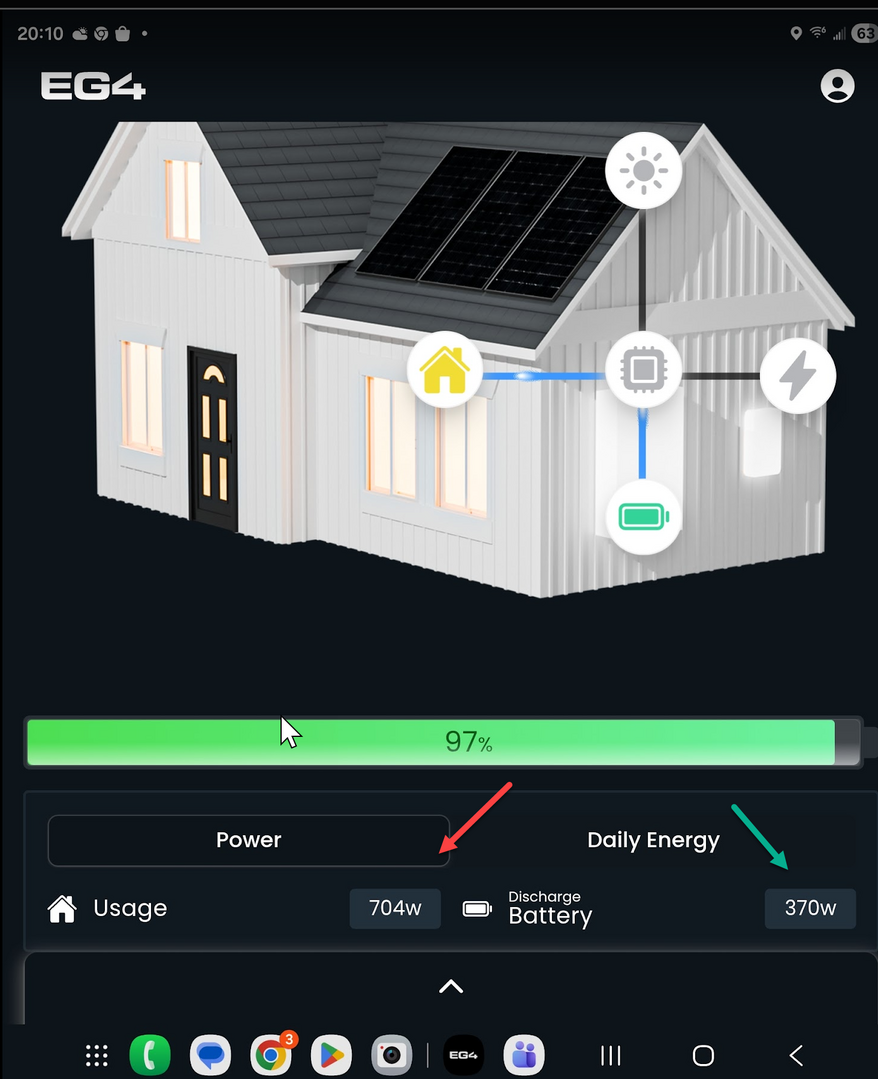
Thank you! It looks like the SOC is now showing instead of the voltage.
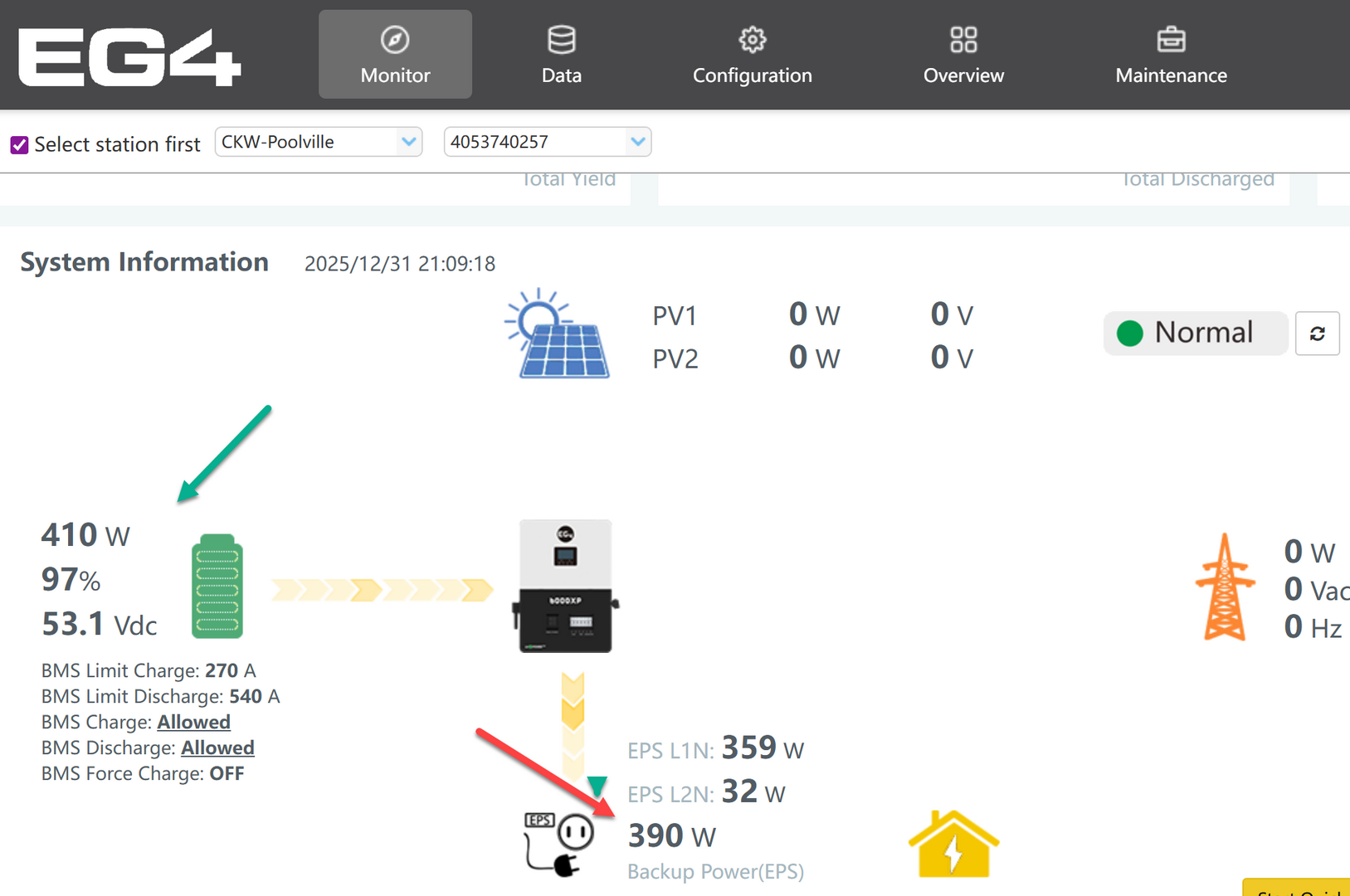
However, i think there is a problem with the "usage" calculation. Whenever i compare it to the desktop app, it seem to be almost double (red arrows); the battery numbers seem to be almost spot on.
I could also just be "operator error" 😯
This post was modified 3 months ago by dfwtinker
Posted : January 1, 2026 5:54 am
Topic starter
@dfwtinker
Happy New Years!
Thank you for the feedback. I will share this information with our team to ensure the numbers are correct and accurate. I’ve also updated my post; please note that this app is currently in beta and not the final version.
Posted : January 2, 2026 2:19 pm
Good Morning.
Thank You! I figured as much. I've been in IT for over 40 years, and i'm always glad to help!
Posted : January 2, 2026 3:24 pm

I have 2 wall mount batteries, 2 inverter chargers and 1 mini split...
I'm off grid, zero wifi. Unable to view or connect any device
Not very helpful of an app
Posted : January 5, 2026 4:21 pm
Topic starter
@rayborbon
You should be able to connect to the dongle locally through dongle connect. You don't need Wi-Fi for that.
Posted : January 6, 2026 9:03 pm
@eg4eric OK I see the option but the experience and the actual steps are different.
I'll look closer later.
Thank you
Posted : January 7, 2026 1:32 pm
Ok it's broken
I followed the steps. Every time it scans for wifi it loads 1 wifi option. Always the device which I am Not connected to. Otherwise, if I disconnect a dongle to avoid that behavior when it gets to scan, it just spins forever.
Is that 2 bugs? Whatever it is, it isn't an improvement
Posted : January 7, 2026 8:26 pm

I really do not like or understand this new App. I liked the old one since it was easy to read and immediately showed all the info I needed. The ability to easily start or stop a quick charge was very handy.
The new app always shows my inverter as offline until I select it and then go back to the main screen. Why? I then have to scroll to see my numbers...but they seem to be slightly different from what the old app indicates. Which one is correct? And what is with the big picture of the house? The main portion of the house (left side) has no useful purpose and only takes up real estate. The animations are very difficult to see. What am I missing here...what does this new app solve?
Posted : January 9, 2026 8:26 am
DougL reacted
Page 1 / 3
Next
