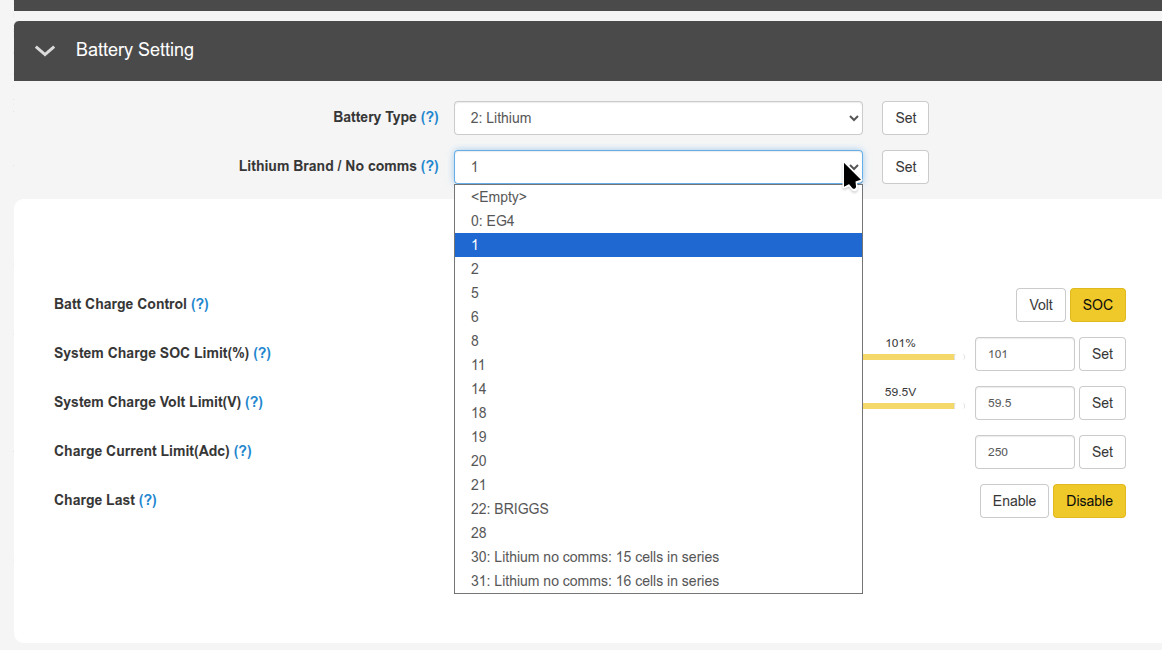
I have Wallmount batteries and switching the 'brand' to 01 brought this data up on my display.
I either overlooked that detail in the configuration process or it wasn't documented well. Either way, much better!
Thanks!


I have Wallmount batteries and switching the 'brand' to 01 brought this data up on my display.
I either overlooked that detail in the configuration process or it wasn't documented well. Either way, much better!
Thanks!

I have two Wallmount AllWeather batteries and the battery parameters never showed up for me.
I had lithium brand set to 0:EG4. Changed to 1 because of what I saw posted here and the battery parameters are displayed!
Thanks for the help!

I had the same issue, but it begs the question: Why would you NOT set the battery type to EG4 rather than "1"? They are EG4 batteries. I have wasted a lot of time trying to figure this out.