EG4 Community Forum

RS485 and Solar Ass...
 
Notifications
Clear all

RS485 and Solar Assist

6 Posts
3 Users
0 Reactions
318 Views
Posts: 6
Topic starter
(@ovgreg)
Active Member
Joined: 3 months ago

Greetings, reposting My earlier post. I'm using a pair of 12000xp inverters and want to implement Solar Assistant. I'd rather not use WiFi for my telemetry. Has anyone exposed Rs485 for telemetry on this unit?   Thanks for reading,   Greg in Hawaii 2x eg4 12000xp and a pile of Chinese diy lfp batteries. Trying to add Solar Assistant.

5 Replies
Posts: 6
Topic starter
(@ovgreg)
Active Member
Joined: 3 months ago

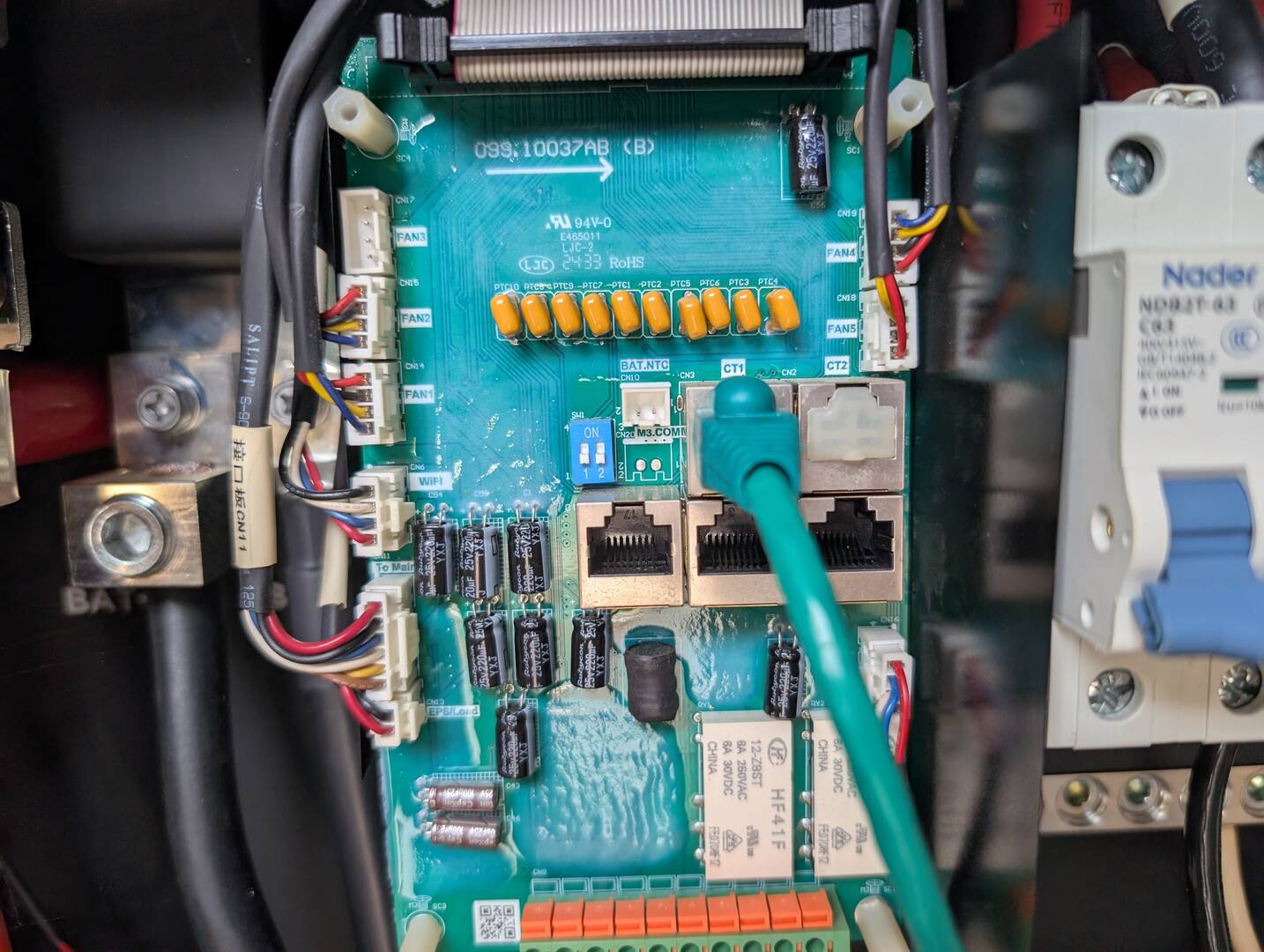
I solved the problem. The Solar Assistant software was out of date. Updating the Raspberry Pi fixed it. FYI The RS485 is the top middle RJ45 labeled CT1. Maybe this'll help somebody. btw the now current version of Solar Assistant is 2025-6-13.

PXL 20260227 210038829
PXL 20260227 210044342.MP

Reply
Posts: 3
(@aceshigh70)
New Member
Joined: 4 weeks ago

Just curious if this is still working for you?  I got solar assistant (latest version as of this month) and also bought the rs485 cable from them.  When I plug into that port and try to configure the inverter in solar assistant, it doesn’t show any USB ports.  It looks like your comm board is 12000xp v2 just like mine.  Solar Assistant website only shows support for v1.


Reply
Posts: 3
(@aceshigh70)
New Member
Joined: 4 weeks ago

Does anybody from EG4 monitor this forum and respond?  I’ve tried what the user said worked with the rs485 and it didn’t work for me.  Any help would be appreciated.


Reply
Posts: 3
(@aceshigh70)
New Member
Joined: 4 weeks ago

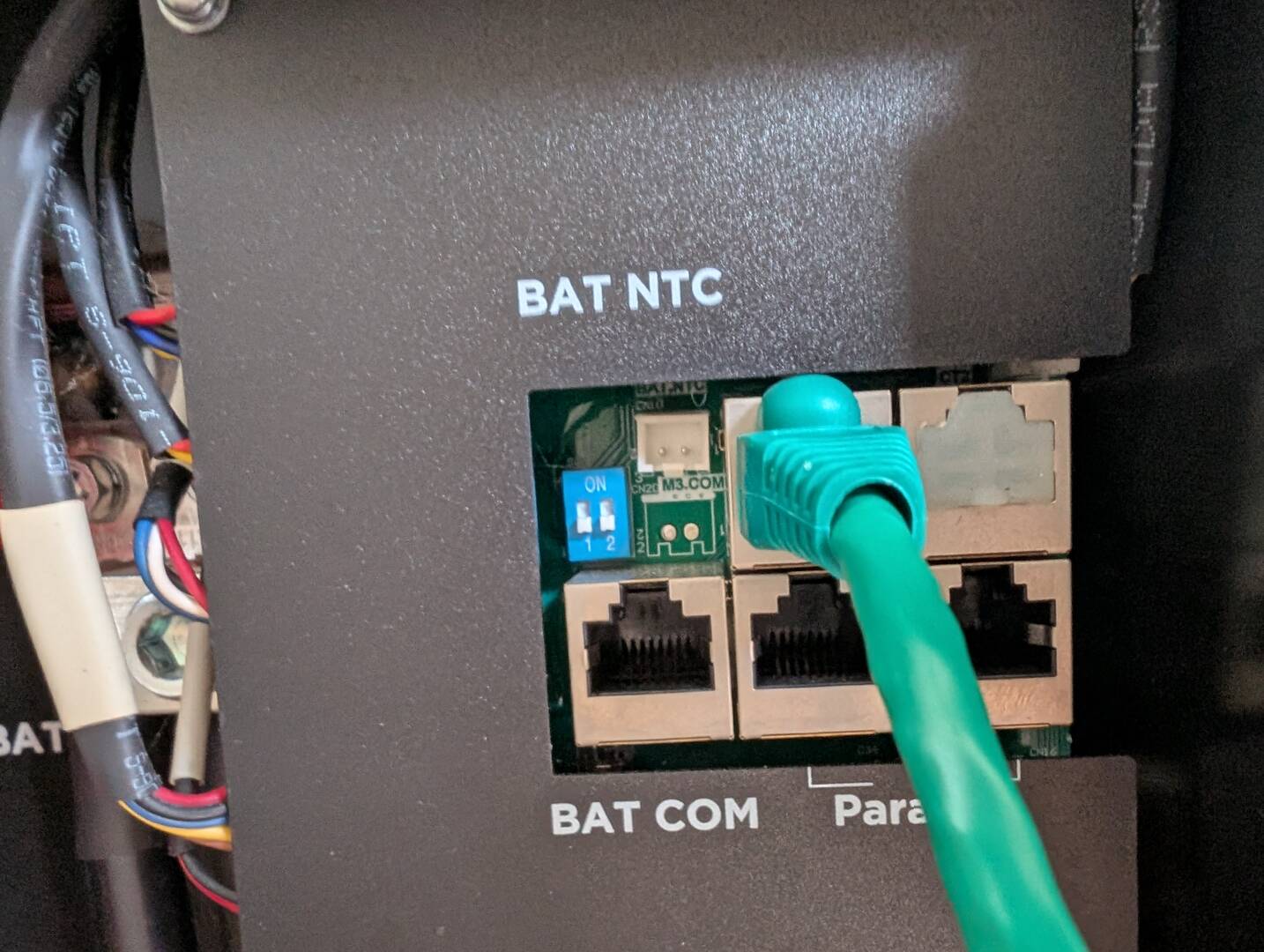
Ok, ovgreg said he had to update solar assistant to the latest version and it worked.  I had the latest Solar Assistant and it didn’t work.  I updated the 12000xp firmware and then retried the rs485 cable and it worked.  I spoke with eg4 support and they acknowledged that the documentation is lacking on the comm board.  The bat/com and parallel ports are clear, but the top 2 ports are not documented whatsoever.  The upper left port is also the one that worked for me.


This picture shows the battery com cable connected and the 2 parallel inverter ports.  The 2 ports above parallel ports are undocumented.  The left plugged port is the one that worked for me.

IMG 8970


Reply
1 Reply
(@arkeens1)
Joined: 1 year ago

Active Member
Posts: 5

@aceshigh70 > I believe the Wi-fi dongle will have to be removed (disabling the EG4 remote monitoring / APP) if going this route as the system can only communicate with only one system at a time. @ovgreg and @aceshigh70, thanks for sharing.


Reply
Share: