EG4 Community Forum

Daylight Savings Ti...
 
Notifications
Clear all

Daylight Savings Time

25 Posts
11 Users
11 Reactions
1,886 Views
Posts: 66
(@powerup)
Trusted Member
Joined: 1 year ago

@eg4eric We are now under 4 weeks from DST (Daylight Savings Time) going into effect on March 6.

This software challenge was most recently identified 3+ months ago.

But this was after identifying it the previous year+ ago.

What can we do to support your efforts in ensuring we don’t have to relive this issue in 4 weeks?

After 3 months you deserve to “receive an update from engineering” so you can be empowered to communicate it and improve trust with the community that this forum is worth our effort to report items. 

I’m really sorry they haven’t supported you. It seems you have been ignored.


Reply
Posts: 66
(@powerup)
Trusted Member
Joined: 1 year ago

TWELVE DAYS UNTIL DST

I was wrong earlier when I mentioned the correct date is March-8

It would be proper to tell us now if Engineering thinks it will update properly? Or if we need to update the firmware to have DST function. PLEASE don't have us figure this out at the time.

If not, we need to know to go into the devices Sunday morning and make changes by hand. @eg4eric


Reply
EG4 Eric
Posts: 1061
Admin
(@eg4eric)
EG4 Online Support
Joined: 1 year ago

@powerup
I apologize for the delayed response. I am looking into this so it can be fixed by Sunday. Thank you for bringing this up!


Reply
EG4 Eric
Posts: 1061
Admin
(@eg4eric)
EG4 Online Support
Joined: 1 year ago

I’ve been informed that the Daylight Savings feature is functioning correctly. However, please let me know if you encounter any issues with it.


Reply
1 Reply
(@powerup)
Joined: 1 year ago

Trusted Member
Posts: 66

@eg4eric What did you or Engineering mean that Daylight Savings is "functioning correctly"?

If I have to go into each system and change it by hand how is that "correctly"?


Reply
Posts: 66
(@powerup)
Trusted Member
Joined: 1 year ago

Can you, or Engineering please explain how they believe the DST setting should work? I presumed it should always be "ON" if the unit is in an area that conforms to DST?

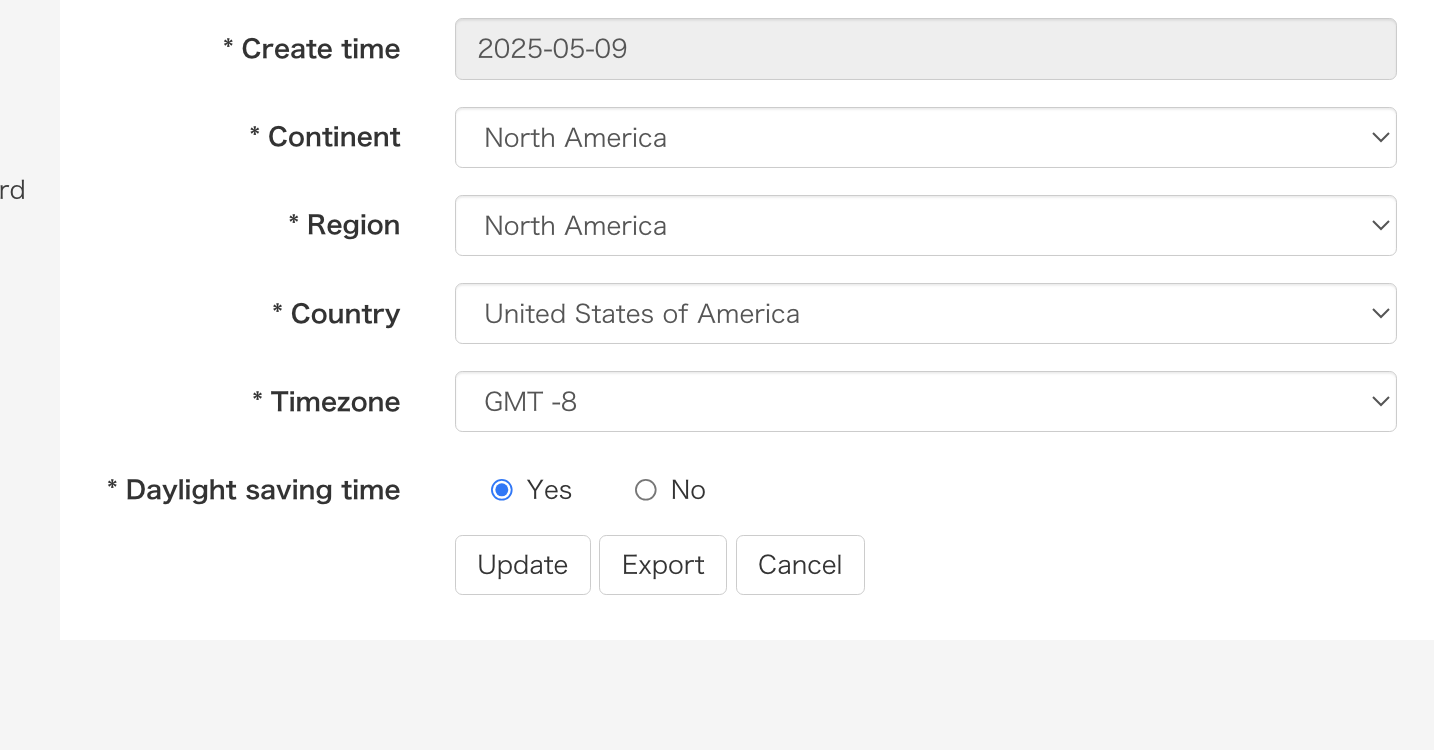
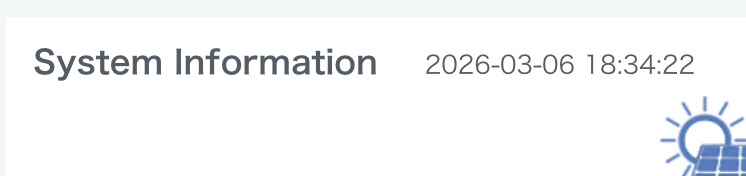
This unit is in Las Vegas. When I click DST-ON and keep to GMT-8 it sets the time to one hour more (6pm) than it is now?

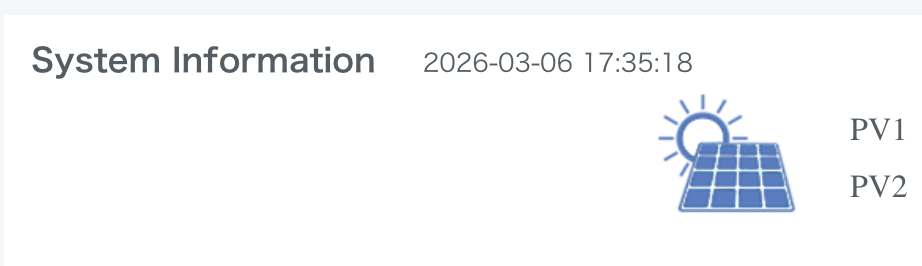
When I turned off DST and it went back to the current time of 5pm.

Does engineering expect us to go in on Sunday and "turn on DST" (on every machine we manage)?

Screen Shot 2026 03 06 at 5.33.53 PM

Added 1 hour after I updated to 6:34pm from 5:34pm

Screen Shot 2026 03 06 at 5.34.30 PM

Then I turned DST OFF

Screen Shot 2026 03 06 at 5.35.27 PM

Reply
Page 3 / 4
Share: