
Notifications
Clear all

Topic starter
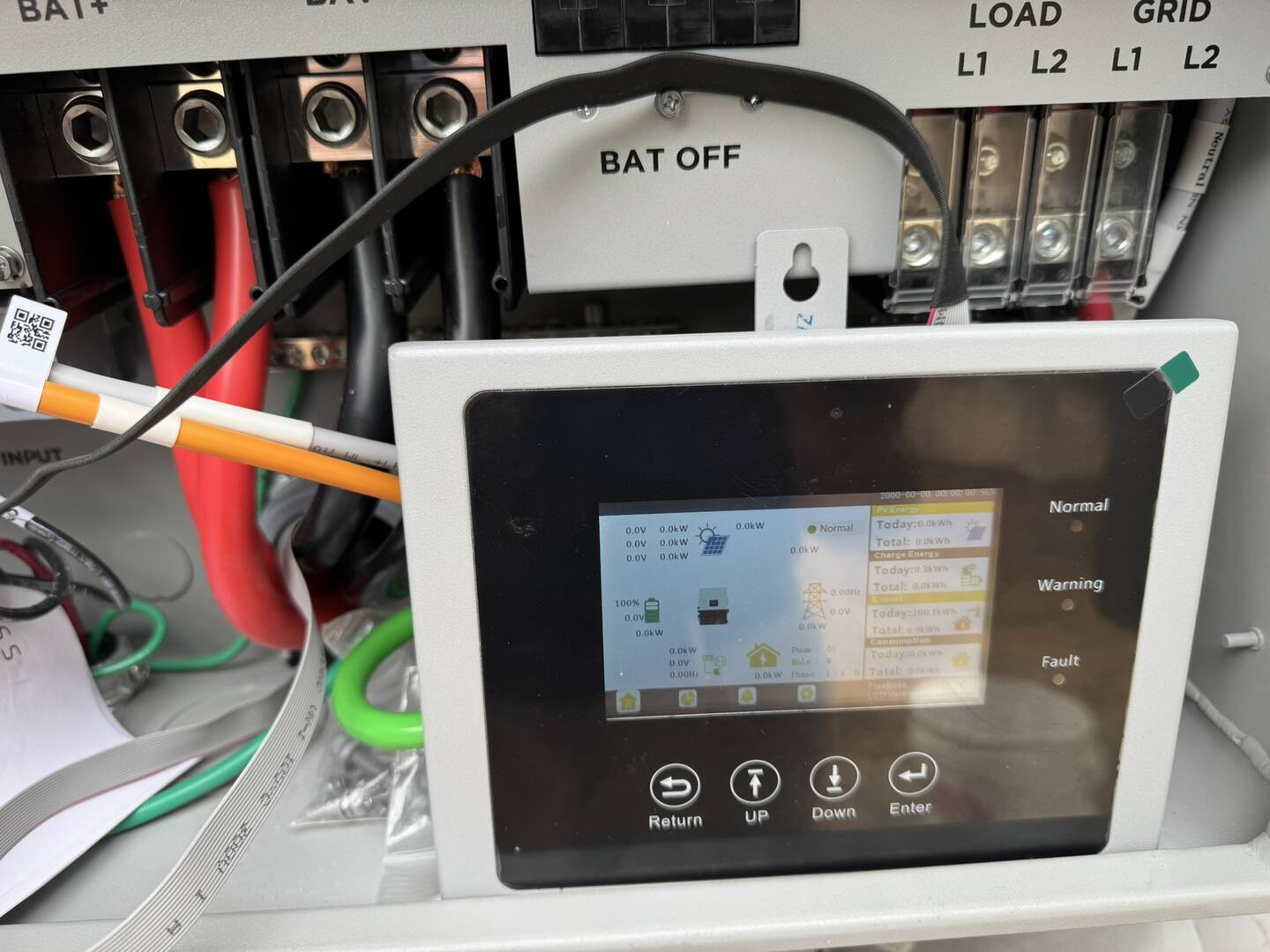
Currently running an EG4 FlexBoss 21 with added LCD screen. This has the problem where it does not display any current data in all data fields. Including the home page and others like Device info button. I'm running a longer ribbon cable but currently don't think this is the cause. I was looking for any LCD firmware associated with FlexBoss 21 and the added LCD screen. I have looked in your FlexBoss 21 area but don't see anything related to LCD firmware. There also does not appear to be any information specific to the LCD display in any of EG4's web pages. I see the following information under Device info of the LCD - Firmware version - XX1.0, Build Version - EAA-0000, LCD version 12, Icon version - 18, Model - 00000000, Serial number - XX1.0. Maybe some of this information is not being populated from the FlexBoss. I do see a firmware version for the 18KPV - (18kPV LCD Version 25 Firmware). Should I try that? If there is no firmware update, and is should be working, then maybe the issue I'm seeing is related to my longer cable (~3 Ft). If there is an update, please point me to the path so I can try.
Posted : June 19, 2026 4:46 am

I am having the same issue. LCD screen was working, updated flexboss to FAAB-2727 and now no current data on screen. Normal green light on right side of screen doesn't even light up. The LCD screen does show ver 25 on it. Does the screen need an more recent update?
Posted : June 21, 2026 12:42 pm
https://eg4electronics.com/categories/communication/flexboss-screen-kit/
Scroll down and click on firmware and you should see the download link for version 25
Make sure cable from remote lcd screen is connected to the inverter cable ( the one you unplugged from the circuit board) with the included adapter. Make sure you didn't plug the remote lcd screen cable back into the circuit board connector. I found out connecting the screen kit to the circuit board connector will power on the LCD but will not display any current info.
Posted : June 21, 2026 7:01 pm

@fkitzmann
You can download the LCD firmware on the product page. The most recent firmware is version 25.
FlexBOSS Screen Kit - EG4 Electronics
I can also perform the LCD firmware update remotely if you'd like.
Posted : June 22, 2026 3:58 pm
Topic starter
Eric, So I was able to update the LCD screen from Version 22 to the current version of 25. Unfortunately it did not fix the issue of not receiving actual data from the inverter (See screen shots). When I tried to do a inverter reset from the LCD screen, it just sat at the current screen and never did an inverter reset. I also tried to manually update of the date in the Device info screen, Again no luck. Also note that this screen does not show the current inverter data. I have cycled power to the inverter where is was fully shut down and re-started it. Again, no luck. So at this point, I think there is no communication data getting from the inverter to the LCD screen or it possibly has an issue. I was going to try the LCD screen on a different inverter (18KPV), but there is no easy access to the cable going to the LCD screen in the 18KPV. At this point I think I need to send the LCD screen back and get it tested by EG4. Your thoughts?
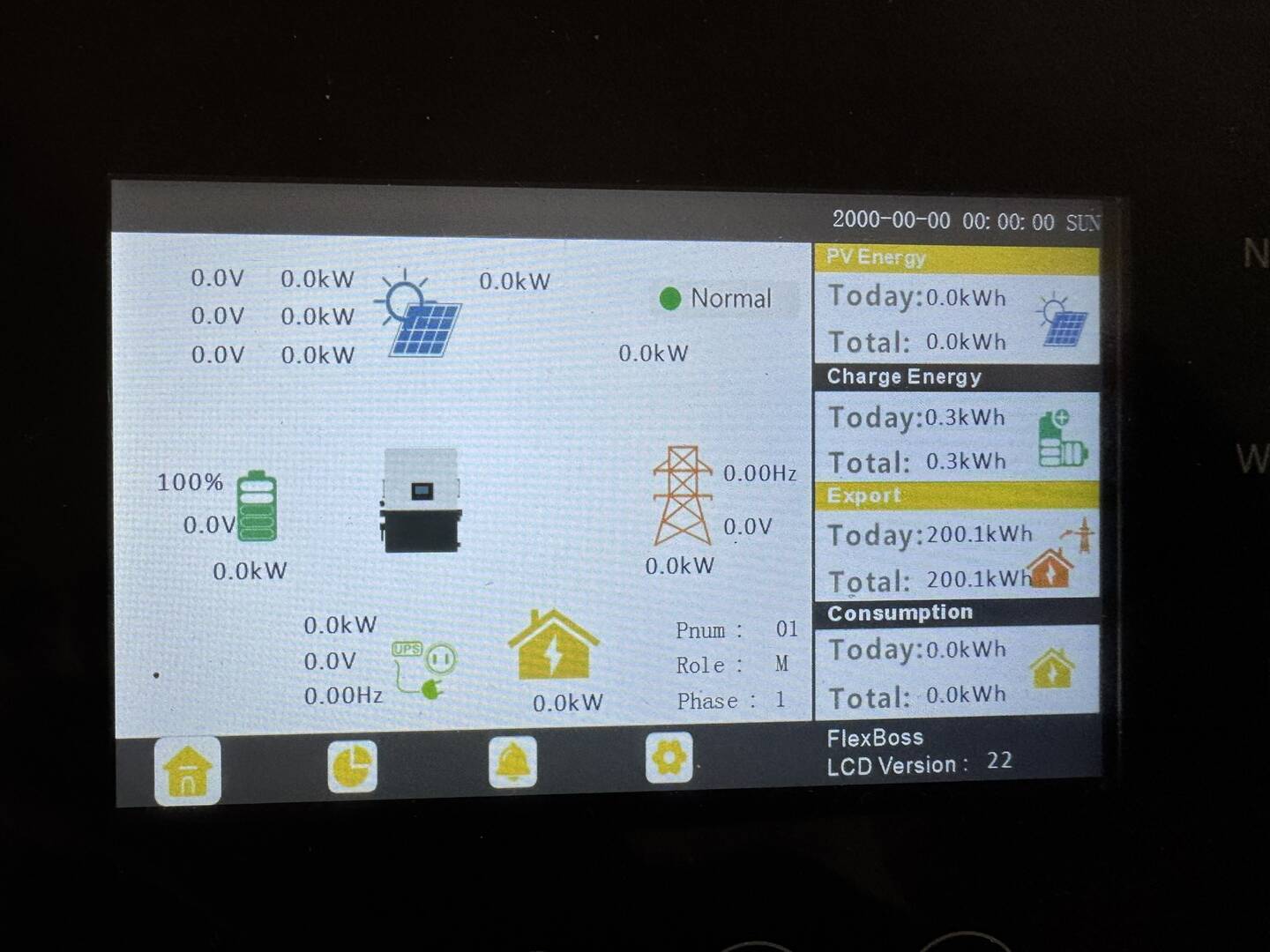
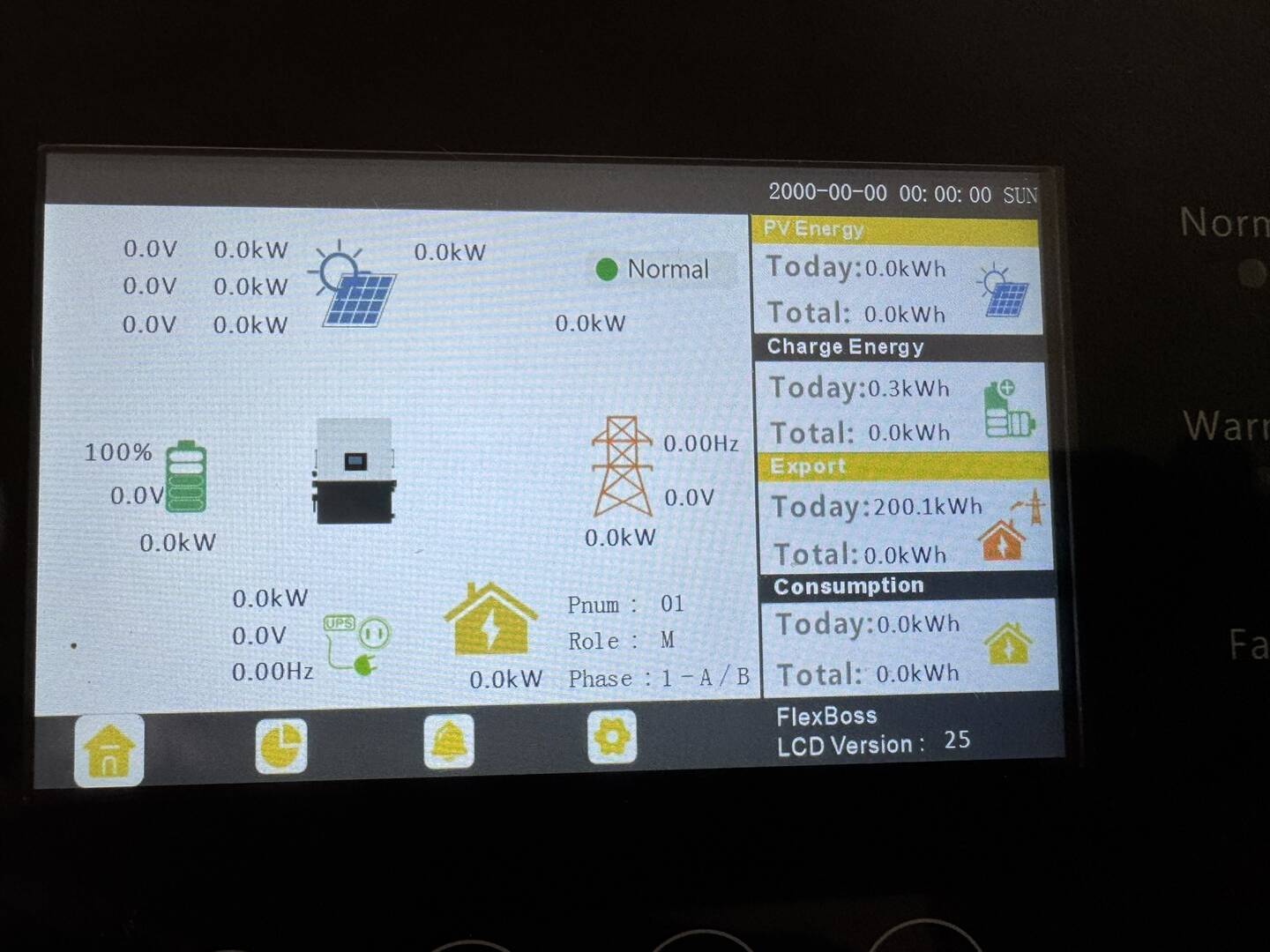
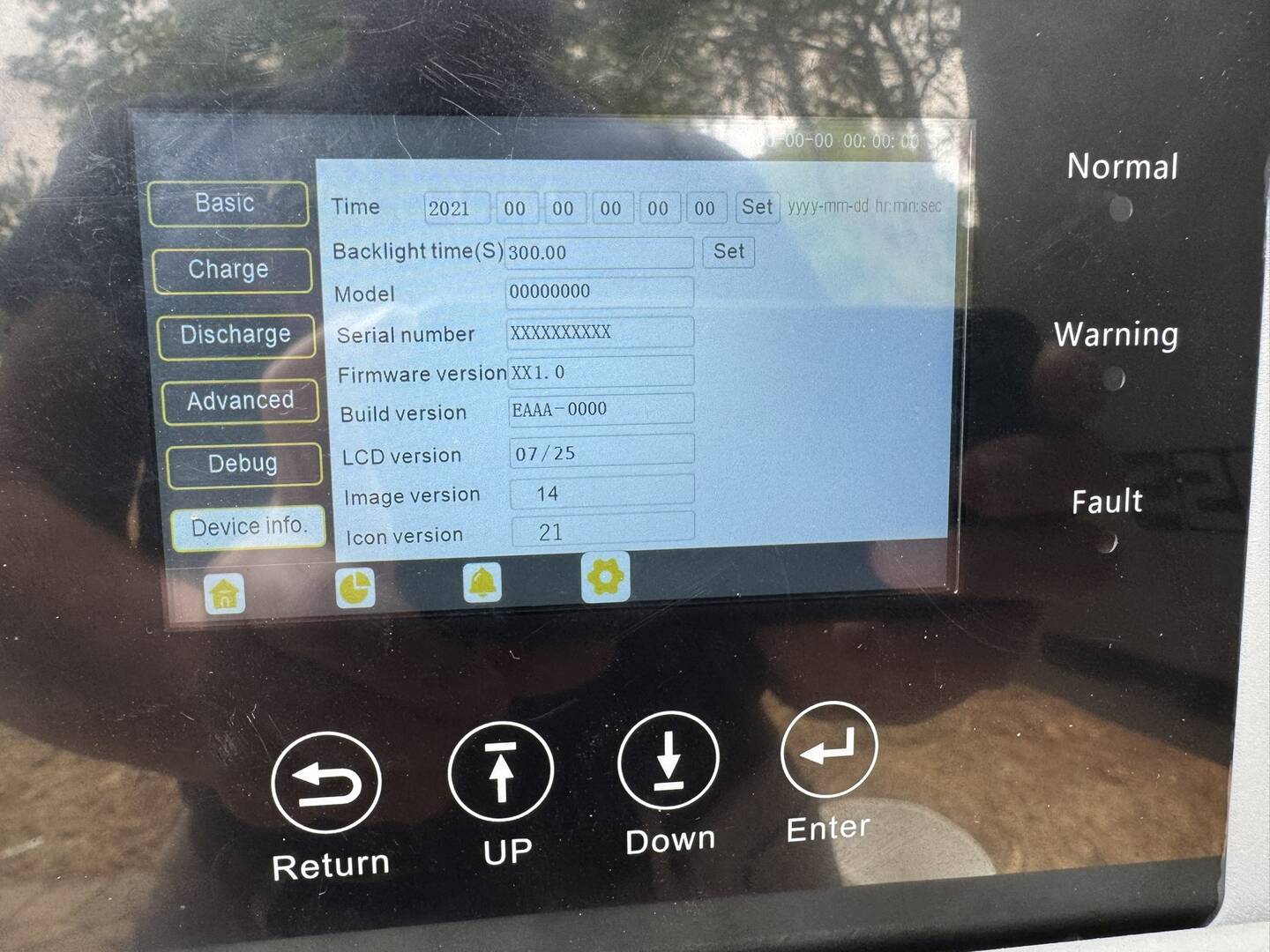
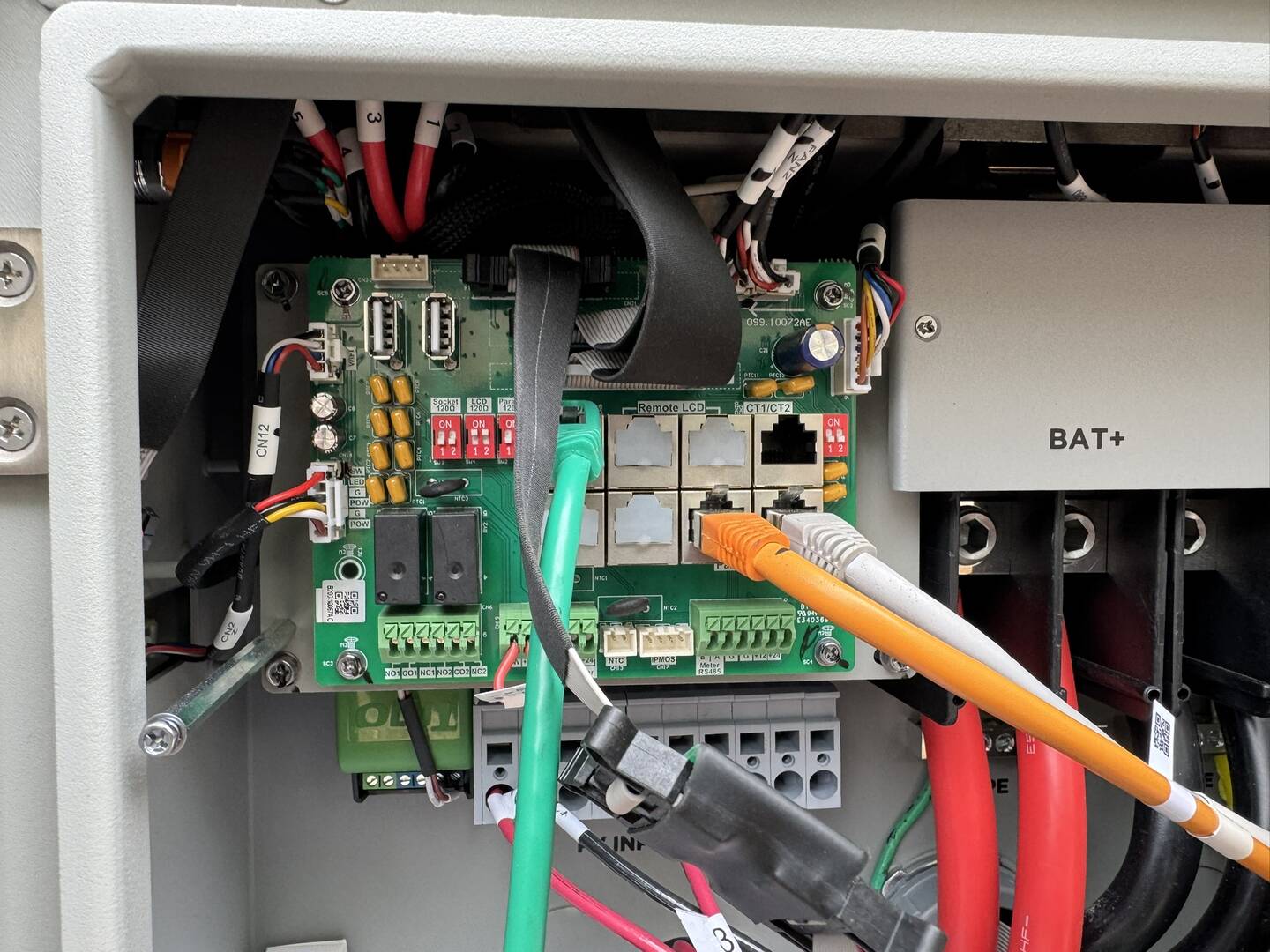
Posted : June 27, 2026 3:01 pm
Topic starter
FYI - This is the first install and has never worked.
Posted : June 27, 2026 3:03 pm
@fkitzmann
Let me look into this, if the screen is defective, we can have someone contact you for a replacement.
Posted : July 1, 2026 3:51 pm
Topic starter
Great
Posted : July 2, 2026 11:15 pm
@fkitzmann
I went ahead and changed one of the settings in your system. I changed the LCD Type to "LCD Screen Kit". Please let me know if this resolved the issue or if you are still having the same issue with the screen.
Posted : July 6, 2026 7:54 pm
Topic starter
Eric, Unfortunately when you logged into the inverter the display was not connected. I have since connected it and found that the display still was not working. I went into the LCD Type was set to 1: LCD Screen Kit. I then changed it to 0: FlexBOSS External Display. Still no luck. Also note that you may have not been in the proper inverter when you made the changes but the initial LCD screen Type setting did initially match with what you stated in your prior message, In any case, if we think that you had the wrong inverter. I can DM you the info to it. Also, the display is connected at this point.
Posted : July 7, 2026 9:57 pm
@fkitzmann
If you can send the correct one, I can try again and see if that makes a difference. If not, we can have someone reach out to you and possibly get a replacement LCD for you, but since the screen turns on, it should be working.
Posted : July 14, 2026 8:15 pm
