
EG4 Community Forum

AC Couple on FlexBO...
 
Notifications
Clear all

Question AC Couple on FlexBOSS/GridBOSS

5 Posts
3 Users
1 Reactions
1,601 Views
Posts: 10
Topic starter
(@chill633)
Active Member
Joined: 2 years ago

While the Smart Ports on the GridBOSS can be set to AC couple, what about direct to the LOAD port on the FlexBOSS? In the video EG4 FlexBOSS21 & GridBOSS Premiere Interview: The Most Powerful Solar Solution Yet published back in November, James discusses at length how this is done and how it solves the "dark start" problem. At one point EG4 published a document on the website titled EG4 How to AC Couple on Load Port w EG4 Hybrid Inverter and GridBOSS.pdf that explains how to do it. I can't find that document online anymore, but I do have a downloaded copy.

My question is, is this still a supported and recommended configuration or should all AC coupled arrays go through a Smart Port? What are the benefits and drawbacks to each method?

4 Replies
Posts: 3
(@dd579)
New Member
Joined: 8 months ago

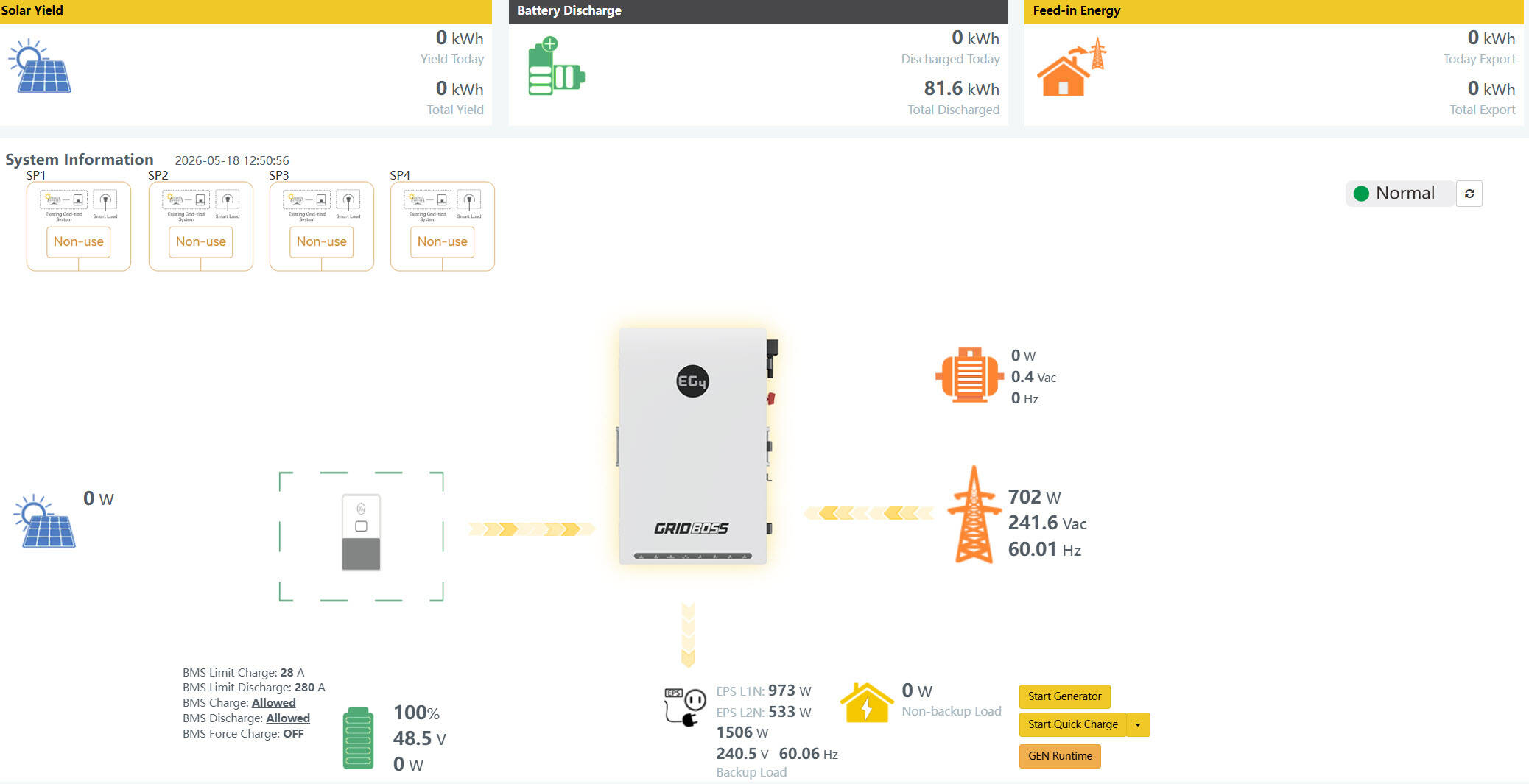
Connected a microinverter and 800 watts of solar to the load port of a Flexboss21 yesterday and it seems to be working fine.  The problem with my little test setup is that the EG4 GUI gives no indication that any AC power is being generated, via the microinverters at all.  However when the microinverters are disconnected and reconnected my smart meter SW (via a HAN device) shows my baseline power pull from Oncor goes up and down with the disconnects and reconnects of the microinverters.   Am I missing something or is this a bug in the EG4 software app and webdisplay?  Thought crossed my mind that maybe 700 watts is not enough for the Gridboss/Flexboss to measure?

Here is the EG4 document as a reference: EG4-How-to-AC-Couple-on-Load-Port-w-EG4-Hybrid-Inverter-and-GridBOSS.pdf


Reply
Posts: 10
Topic starter
(@chill633)
Active Member
Joined: 2 years ago

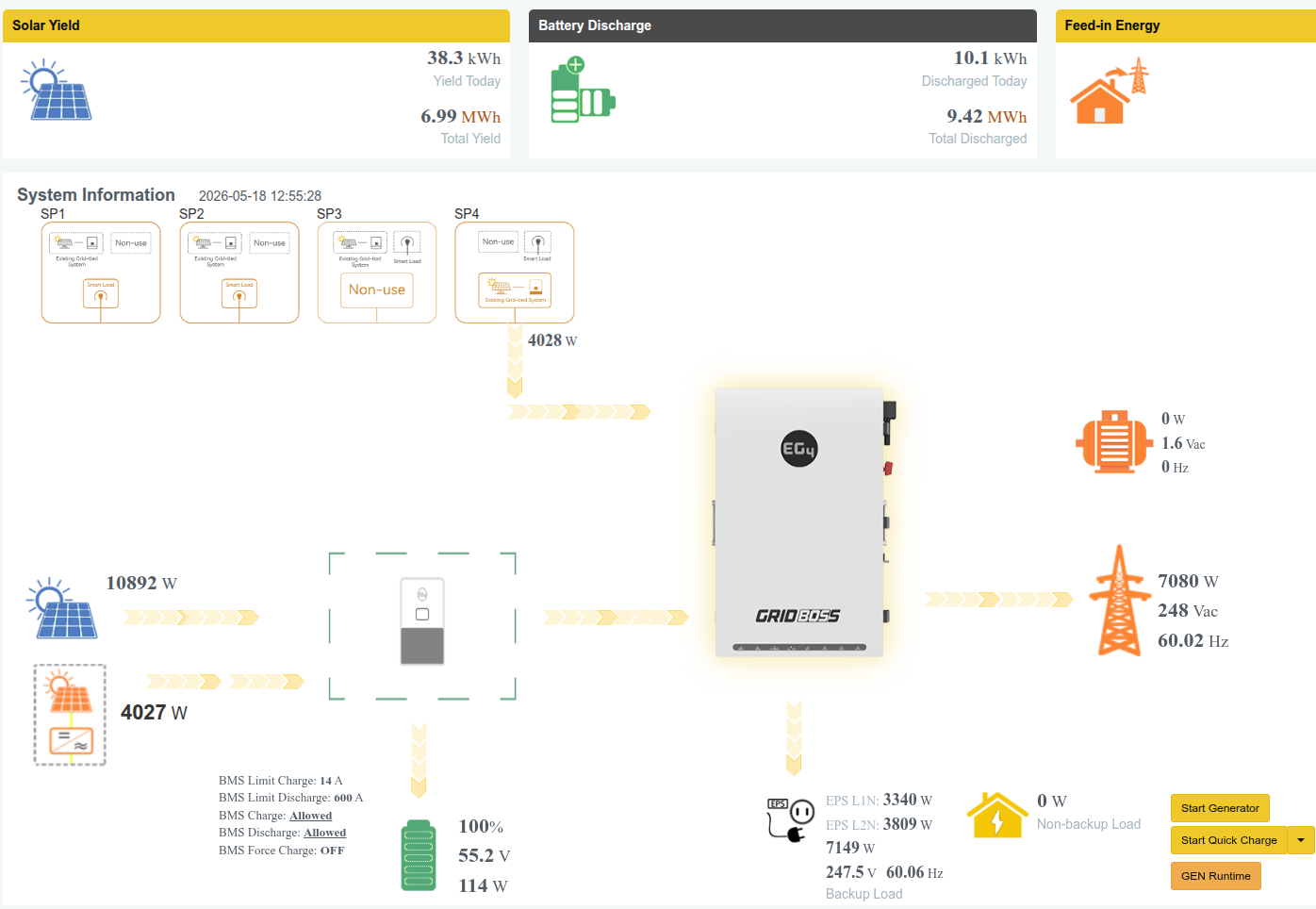
That document is old. 🙂 Yes, it'll work, but no, it won't report incoming AC-couple properly. If you have a GridBoss, all AC Couple is supposed to go through there, but it doesn't work on the load port of the FlexBoss. Personally, I think it is just a web reporting issue. Below is a screenshot of my system right now. The 4 kW on SP4 is AC Couple. It also shows up as the little orange solar icon on the left, but isn't included in the Solar Yield totals.

I believe it is just a web reporting issue because Solar Assistant shows the proper combined totals, and the raw data is in the Data History tab of the EG4 web monitor. 

image

Reply
Posts: 3
(@dd579)
New Member
Joined: 8 months ago

@chill633 Thanks for the graphic. Here is what I see on the web monitor page. I connected to the FlexBOSS 21 load port after reading several comments on this forum and elsewhere suggesting this was the best alternative to avoid a "dark start" issue and to let the FlexBOSS manage non-grid sources going to the batteries. I called Signature Solar Tech support on Saturday and was told that EG4 Level 2 support needed to handle my status reporting issues, so I am still waiting for their call-back. I would very much like to get to the bottom of this. Specifically, I am hoping to get a definitive answer from EG4 on whether connecting to the GridBOSS Smart Port or the FlexBOSS load port is the recommended configuration.

display


Reply
EG4 Eric
Posts: 1125
Admin
(@eg4eric)
EG4 Online Support
Joined: 2 years ago

@chill633
This is not supported at the moment. It is still a work in progress. When it is available, we will announce it and let you know. 


Reply
Share: